
Relay - User Manual
RELAY USER GUIDE A relay is a wireless, dry-contact relay designed to switch devices on and off. The relay is powered by a 7-24V DC power source. Its compact size allows it to be placed in a function box, electrical cabinet, or even inside the chassis of another device.

RELAY USER GUIDE
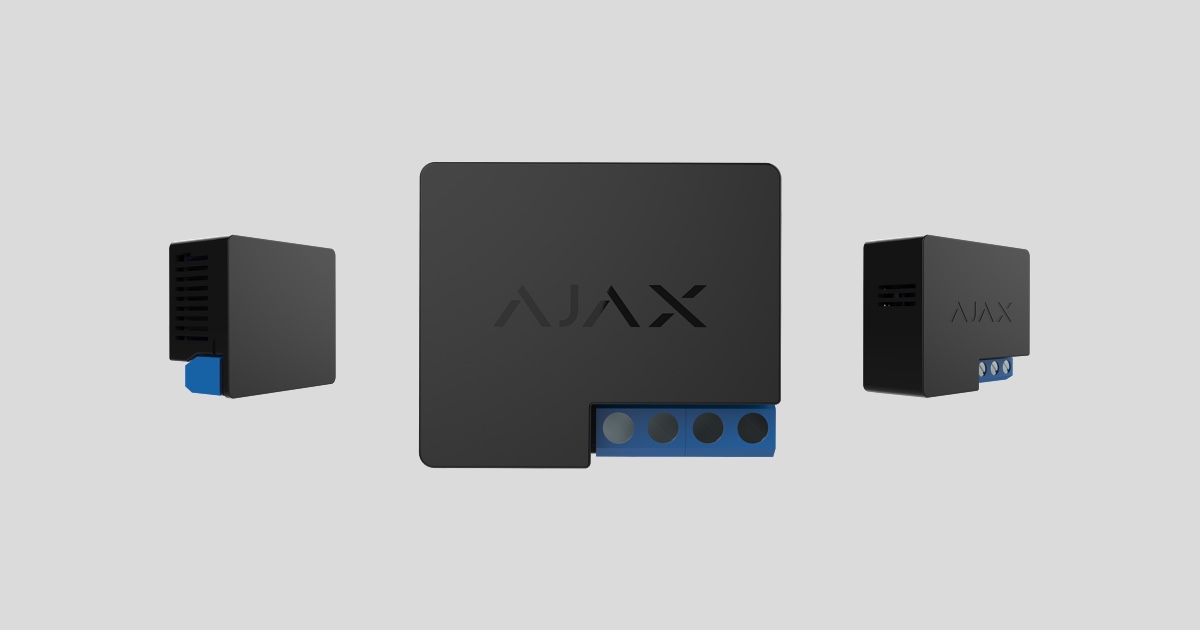
The relay is a wireless dry-contact relay designed for switching devices and equipment on and off, powered by a 7V DC to 24V DC source. The relay also has pulse control functionality. It connects to the Ajax security system using the Jeweler security protocol, with a range of up to 1,000 meters in an unobstructed environment.
The integrated relay contacts are not directly connected to the device itself, but rather to input control circuits for various devices, mimicking a button, switch, etc.
Relays should only be installed by a qualified electrician! Regardless of the type of electrical circuit in which the device is installed.
Not compatible with Ajax uartBridge or Ajax ocBridge Plus modules.
The Ajax security system is capable of operating independently, but users can still link the system to the main monitoring centers of security companies.
Features and details

-
Antenna
-
Power supply terminal block
-
Consecutive terminal block
-
Function button
-
Traffic lights

-
PS input terminals — “+” and “-” terminal links, 7-24 V DC power supply.
-
Output potential-free terminals of Relay contact terminals.
Relay operating principle
IMPORTANT : Do not connect the relay's power connectors to a 110-230V power source! Do not connect the relay to a power source with a voltage exceeding 36V. This will cause a fire hazard and will damage the equipment!
The relay is powered by a 7-24V DC source. Recommended voltage values for the relay are 12V and 24V.
Relay connection and configuration are performed via the Ajax Security System mobile application.
The integrated relay contacts are not directly connected to the device itself, but rather to input control circuits for various devices, mimicking functions such as buttons, switches, etc.
Relays can be used to power various loads (alarms, water shut-off valves, electromagnetic locks).
Its compact size allows the device to be placed in a functional box, electrical cabinet, or even inside the chassis of another device.
The relay device opens and closes the contact terminals on command via the Ajax Security System application. The ability to automatically switch the relay on/off when the system is in an activated/deactivated state has also been integrated.
Relay operating modes:
Stable sales — the device acts as an on/off switch for the terminal equipment.
A pulse — a device that switches on/off in connection with a terminal device for a defined period of time.
In Pulse mode, the relay will open/close the terminal device connection within 0.5 to 15 seconds and automatically perform the reverse action.
Connect the sensor to the hub.
Before starting the connection:
-
Install the Ajax app on your phone and follow the instructions to set up the Hub (Hub, Hub Plus).
-
Create a user account, add the Hub to the app, and create at least one room.
-
Open the Ajax application.
-
Turn on the hub and check your internet connection.
-
Check and ensure that the Hub is in the Disabled mode and not updating (check the status displayed in the application).
⚠️ Only users with administrator privileges can add new devices to the Hub.
How to connect a device to the Hub:
-
Select “Add device” in the Ajax app.
-
Name the motion sensor device, scan the QR code or manually enter the device's code into the app (the code is located under the lid and on the box), and select the Room for the device.

3. Select “Add” - the countdown will begin.
4. Turn the device's power button to "On".
For the device to operate effectively and without interference, the sensor must be placed within the wireless coverage area of the Hub (with a protective object).
A request to connect to the Hub will be sent shortly after the device is powered on. If you are unable to connect to the Hub, try turning the device off and on again after 30 seconds.
Once connected, the sensor device will appear in the list of connected devices. The frequency of signal scanning will depend on the settings on the Hub, with a default of 36 seconds.
When the relay is first switched on, it will be released! When the relay is removed from the Ajax system, the switch will release the relay!
Device states
Device → Relay
|
Category |
Value |
|
Signal strength |
Signal strength of the connection between the hub and the device. |
|
Connect |
Connection status between the hub and the device |
|
Activate |
Relay connection status (on/off) |
|
Voltage |
The current voltage is passing through the relay. |
|
Software |
The device's software version |
|
Device ID |
Device unique identification ID |
Set up the device.
Devices → Relays → Settings (⚙️)
|
Function |
Content |
|
first line |
The device name can be customized. |
|
Room |
Select the room where you want to add the device. |
|
Reactions upon Activation/Deactivation |
Select the response action for the relay upon activation/deactivation:
The device can respond separately to each Activate/Deactivate signal. |
|
Relay mode |
Select the operating mode of the relay.
|
|
Connection status |
Default connection status
|
|
Clock duration, seconds |
Select the duration for the clock pulse (from 0.5 to 15 seconds). |
|
Response in night mode |
If activated, the programmed activation/deactivation will also work in night mode. |
|
Check the wave intensity. |
Switch the device to signal strength testing mode. |
|
User manual |
Open the device's user manual. |
|
Unconnect the device. |
Disconnect the device from the hub and delete all settings. |
Voltage protection - the contact will open when the voltage is outside the range of 6.5 - 36.5V.
Temperature protection - the contact will open when the threshold temperature of 85°C is reached inside the relay.
Signal
The relay device will light up to indicate its current status.
The green LED on the relay will blink continuously if it is not assigned to the hub. When the function button is pressed, the green LED will light up.
Check the touch screen.
The Ajax security system allows for testing to assess the functionality of connected devices.
The testing modes will not start immediately but after a 36-second cycle when using the default settings. The start time of the test depends on the scanning cycle settings of the sensor device (see the “Jeweller” settings in the Hub settings).
-
Check signal strength
Equipment installation
Relays should only be installed by a qualified electrician! Regardless of the type of electrical circuit in which the device is installed.
The communication range with the central hub in an environment without any obstructions between devices is up to 1,000 meters. Please take this into account when choosing the location for the relay.
If your device has a low or unstable signal strength, use a ReX radio range extender.
-
Disconnect the power to the cable that the relay is connected to.
-
Connect the power supply cable to the relay connectors, then the relay contact connectors to the required circuit using wires/cables of sufficient cross-sectional area. You should use cables with a cross-sectional area of 1.5 - 2 mm2.
If the device is installed in a junction box, install an external antenna. The further the antenna is from metal structures, the less likely it is to obstruct the radio signal. The antenna must not be shortened under any circumstances.
During the installation and operation of the relay, follow the general electrical safety rules for using electrical equipment, as well as the requirements of electrical safety regulations. Disassembly of the equipment is strictly prohibited.
Do not install the relay:
-
Outdoor area.
-
Inside a metal functional box or circuit board.
-
In environments where temperature and humidity exceed the device's permissible limits.
Maintenance
The device requires no maintenance.
Technical specifications table
|
Feature details |
Electromagnetic relay |
|
Relay lifespan |
200,000 jumps |
|
Power supply |
7 – 24 V (DC) |
|
Voltage protection |
Yes, the lowest voltage is 6.5 V, and the highest is 36.5 V. |
|
Maximum load voltage* |
5 A on 24 V DC, 13 A on 230 V AC |
|
Maximum current protection |
Are not |
|
Output source* (230 V resistive load) |
Up to 3 kW |
|
Parameter control |
Yes (V) |
|
Electricity consumption |
Less than 1 Wh |
|
Bandwidth |
868.0 – 868.6 MHz or 868.7 – 869.2 MHz |
|
Productivity |
3.99 mW (6.01 dBm), limit— 25 mW |
|
Radio wave module |
GFSK |
|
Link distance |
Up to 1000 m (unobstructed view) |
|
Communication Ping Frequency |
12 – 300 seconds (default 36 seconds) |
|
Protective case standard |
IP20 |
|
Operating temperature range |
From 0°C to +64°C (ambient temperature) |
|
Maximum temperature protection |
Yes, above 65°C of the installation environment or above 85°C inside the device. |
|
Operating humidity |
Up to 75% |
|
Size |
39 x 33 x 18 mm |
|
Mass |
25 g |
* If using an inductive or capacitive load, the maximum switching current is reduced to 3 A at 24 V DC and to 8 A at 230 V AC!
The complete set includes
-
Relay
-
Connecting cables - 2 cables.
-
User manual
Guarantee
The product comes with a 2-year manufacturer's warranty.
If the device is not working as designed, please contact our technical support department before sending it in for warranty service – as over 50% of cases are simply issues with settings adjustments.