
DoorProtect Plus - User Manual
DoorProtect Plus - USER MANUAL DoorProtect Plus is a wireless security device that detects door opening, vibration, and tilt. It also has a connection port for linking to an external sensor. DoorProtect Plus connects to the Ajax security system via the Jeweller radio protocol, enabling effective communication over distances up to 1200 m in unobstructed environments...

DoorProtect Plus - User Manual
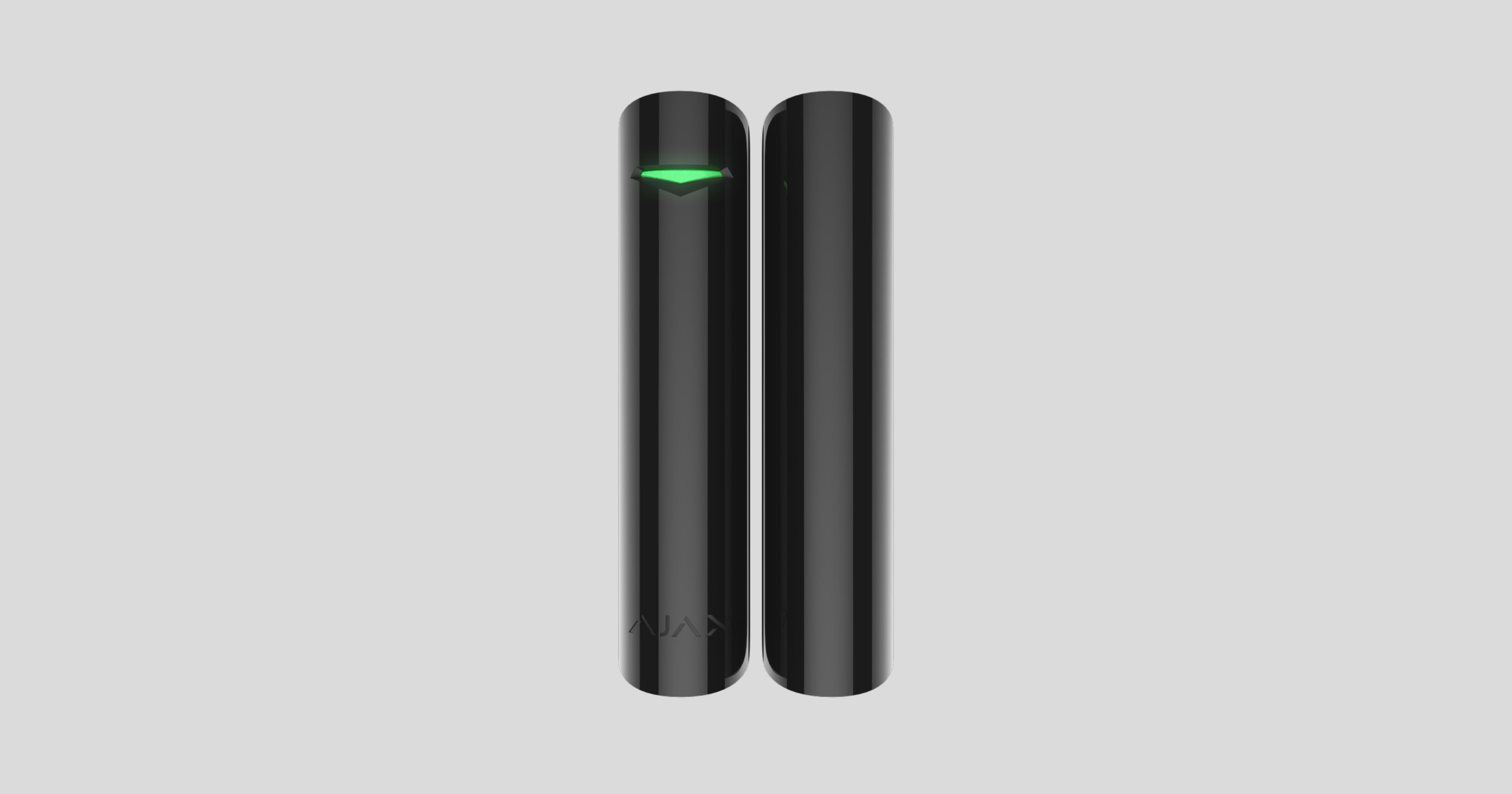
DoorProtect Plus is a wireless security device that detects door openings, vibrations, and tilt. It also has a connection port for linking to an external sensor. DoorProtect Plus connects to the Ajax security system via the Jewellery protocol, offering effective communication over distances up to 1200 m in unobstructed environments. The device can operate for up to 5 years thanks to its built-in battery and sealed reed relay capable of detecting up to 1 million door openings.
A reed relay switch is a device that creates a closed circuit when a device is within the continuous influence of a magnetic field. It consists of several magnetic metal pieces enclosed in a spherical bulb.
Not compatible with Ajax uartBridge and Ajax ocBridge Plus
The device is set up via a mobile app for iOS and Android. Users will receive notifications about events via push notifications, SMS, and calls (if enabled).
The Ajax security system is capable of operating independently, but users can still link it to the main monitoring centers of security companies.
👉 Buy now the DoorProtect Plus motion and tilt sensor door opener.
Features and details

-
DoorProtect Plus
-
Large magnet
-
Small magnets
-
Traffic lights
-
SmartBracket (The dotted line section is for vandalism protection against unauthorized removal or pulling from the mounting surface. Do not break it!)
-
Ports for connecting external touch devices.
-
QR Code
-
Power switch
-
Vandal-proof switch
DoorProtect Plus operating principle
DoorProtect Plus consists of two components: a sensor with a sealed reed relay and a magnet. The sensor is attached to the door frame, and the magnet is attached to the moving side (sliding or opening). If the sealed reed relay is within the magnetic field, the circuit is closed – the sensor closes. Opening the door changes the distance between the magnet and the sensor, causing the circuit to open, and the device registers that the door has opened.
A small magnet can cover a magnetic field of 1cm, while a larger magnet can cover 2cm.
The sensor can be installed vertically.
If the user does not require door opening detection with a sealed reed relay sensor, please use only the electronic part (without the magnet) and disable the magnetic sensor in the settings.
The tilt sensor will detect when the device is tilted more than 5° from its mounting axis. DoorProtect Plus can be installed on windows, including arched windows, and can be activated while the device is suspended (you should disable the magnetic sensor in the settings beforehand).
Upon detecting an intrusion, DoorProtect Plus will enter intrusion detection mode and immediately transmit an alarm signal to the Ajax Hub, activating the alarm siren connected to the hub and notifying users as well as security companies.
Connect the sensor to the Hub.
Before starting the connection:
-
Install the Ajax app on your phone and follow the instructions to set up the Hub (Hub, Hub Plus).
-
Create a user account, add the Hub to the app, and create at least one room.
-
Open the Ajax application.
-
Turn on the hub and check your internet connection.
-
Check and make sure that the Hub is in the Disabled mode and not updating (check the status displayed in the application).
⚠️ Only users with administrator privileges can add new devices to the Hub.
How to connect a device to the Hub:
-
Select “Add device” in the Ajax app.
-
Name the motion sensor device, scan the QR code or manually enter the device's code into the app (the code is located under the lid and on the box), and select the Room for the device.
-
Select “Add” - the countdown will begin.
-
Turn the device's power button to "On".
For the device to function effectively and without interference, the sensor must be placed within the wireless coverage area of the Hub (with a protective object).
A request to connect to the Hub will be sent shortly after the device is powered on. If you are unable to connect to the Hub, try turning the device off and on again after 5 seconds.
Once connected, the sensor device will appear in the list of connected devices. The frequency of signal scanning will depend on the settings on the Hub, with a default of 36 seconds.
State parameters
Device → DoorProtect Plus
|
Category |
Content |
|
Temperature |
Temperature of the sensor device. Measured on the microprocessor and updated continuously. |
|
Signal strength |
Signal strength of the connection between the Hub and the sensor device. |
|
Battery level |
The remaining battery level of the device is displayed in 25% increments. |
|
Lid |
The device's anti-tampering mechanism reacts when the device is removed from its installation location or the housing is damaged. |
|
Entry delay, seconds |
Entry delay |
|
Delay when exiting, seconds |
Delay when exiting |
|
Connect |
Connection status between the hub and the device |
|
Main touch status |
Status of the main sensor |
|
Adverse reaction |
The status of the sensor is linked to DoorProtect. |
|
Always on |
If activated, the sensor will always be in activated mode. |
|
Vibration sensor |
If activated, DoorProtect Plus will detect vibrations. |
|
Tilt sensor |
If activated, DoorProtect Plus will detect the tilt angle. |
|
Software |
The device's software version |
|
Device ID |
The device's unique identification ID. |
Set up the touch device.
Devices → DoorProtect Plus → Settings [⚙️]
|
Function |
Content |
|
first line |
Device name, subject to change. |
|
Room |
Select the room where you want to add the device. |
|
Activated in night mode |
If activated, the device will trigger an alert when the system is put into night mode. |
|
Main sensor |
If activated, the device will alert you to door opening and closing activities via the main sensor. |
|
External links are available. |
If activated, the device will record alerts from linked devices. |
|
Vibration sensor |
If activated, the device will sound an alarm if force is applied more than once. |
|
Sensitivity |
Sensitivity of the vibration sensor |
|
Eliminate single shock |
If activated, the device will not respond to a shock. |
|
Tilt sensor |
If activated, the device will sense the tilt. |
|
Angle of inclination |
Select the default tilt angle for the device; if the tilt exceeds this value, the device will sound an alarm. |
|
Tilt alert delay |
Select the delay for the tilt alert. |
|
Always activated |
If activated, the device will always remain in an active state. |
|
Entry delay, seconds |
Choose the entry delay |
|
Delay when exiting, seconds |
Choose the exit delay |
|
Lag in night mode |
Enable delay when setting night mode. |
|
The alarm sounds when the door is opened. |
If activated, the HomeSiren and StreetSiren sirens will be triggered upon the opening of a door. |
|
Activate an alarm when an external connection is enabled. |
If enabled, the HomeSiren and StreetSiren sirens will activate upon the switching on of the connected device. |
|
Alarm sounds when vibration sensor is triggered. |
If activated, the HomeSiren and StreetSiren sirens will sound when a vibration is detected. |
|
The alarm sounds when the tilt sensor is activated. |
If activated, the HomeSiren and StreetSiren sirens will be triggered when the tilt sensor is activated. |
|
Check the wave intensity. |
Switch the device to signal strength testing mode. |
|
Check the detection area. |
Switch the device to detection area testing mode. |
|
Check for decline |
Switch the device to attenuation test mode (only available on devices with software version 3.5 or higher). |
|
User manual |
Open the device's user manual. |
|
Unconnect the device. |
Disconnect the device from the hub and delete all settings. |
Sensor device alerts
Event |
Signal |
Note |
|
Turn on the touch screen. |
Turn on the green light for about 1 second. |
|
|
The device is connected to Hub, ocBridge, and uartBridge. |
Flashes continuously for a few seconds. |
|
|
Anti-sabotage/anti-vandalism measures are activated. |
The light turns green for about 1 second. |
An alarm is sent every 5 seconds. |
|
The battery needs replacing. |
During an alarm, the device flashes a green light slowly. |
Instructions on how to replace the battery are clearly stated in the "Battery Replacement Guide" section. |
Check the touch screen.
The Ajax security system allows for testing to assess the functionality of connected devices.
The testing modes will not start immediately but after a 36-second cycle when using the default settings. The start time of the test depends on the scanning cycle settings of the sensor device (see the “Jeweller” settings in the Hub settings).
-
Check signal strength
-
Check the scan range.
-
Check for decline
Equipment installation
Choose the installation location.
The optimal installation location for DoorProtect Plus depends on the distance between the device and the central hub, as well as the number of obstacles in between that can degrade signal quality: walls, floors, large objects in the room, etc.
⚠️ Check the signal strength in the settings.
If the signal strength is only one bar, Ajax won't guarantee that the system will work perfectly. Do everything you can to improve the signal quality! At the very least, try moving the device; even just 20 cm can significantly improve the connection quality.
If, after moving, the device still has a weak or unstable signal, use a ReX signal booster.
Do not install the device in:
-
Outdoor area
-
Avoid being near metal objects or glass surfaces, as this will affect the quality of the connection signal.
-
Exceeding the device's operating temperature and humidity range.
The magnet is attached to the right side of the sensor. The sensor can be placed inside or outside the window frame:
When installing the detector in perpendicular planes (inside the housing/frame), use the small magnets from the kit. The distance between the magnets and the detector should not exceed 1 cm.
When installing the devices on the same surface, use a large magnet, ensuring the distance between the magnet and the device does not exceed 2 cm.
Test the touch screen.
After determining the installation location, secure the sensor and magnet with double-sided tape and test the device's functionality using the Area Test function.
While in test mode, the DoorProtect indicator light will be continuously illuminated; however, it will turn off for 1 second if the detector is triggered. Verify the device's correct operation by opening and closing the door several times.
Connect to a wired touch device.
A wired sensor with an NC connector can be linked to the DoorProtect plus device via the external port slot.
Ajax recommends that you install wired devices at a distance of no more than 1 meter – the greater the distance between the wires, the higher the risk of damage and reduced signal quality between devices.
To pull the cord out of the device, bend open the socket:
If an external sensor is linked, you will receive a notification.
Sensor installation guide
Before installation, make sure you have chosen a location that meets the requirements of this instruction manual.
-
Attach the smart wall panel to the surface using screws, employing at least two fixing points (one of which should be above the vandal-proof section). After selecting other mounting hardware, ensure that it does not damage or deform the wall panel.
Double-sided tape should only be used as a temporary fixation solution for equipment. The tape will dry out over time and could cause the equipment to fall, leading to malfunction or potentially damaging the equipment due to the fall.
-
Place the device on the mounting bracket. As soon as the device is secured on the SmartBracket, its LED will flash – this signals that the device's tamper-proof cover has been closed.
If the device's LED indicator light does not illuminate after installation on the SmartBracket, check the vandal-proof mode status in the Ajax Security System app and adjust the tightness of the mounting bracket.
If the device is pulled away from the mounting surface or detached from the mounting bracket, you will receive a notification.
-
Attach the magnets to the hanging board.
Equipment maintenance and battery replacement.
You should regularly check the functionality of the Ajax security system.
Clean the machine body of dust, cobwebs, or other dirt. Use only a soft, dry cloth for maintenance.
Do not use cleaning agents containing alcohol, acetone, or gasoline to clean the equipment.
The built-in battery ensures automatic operation for up to 7 years (with the central hub querying every 3 minutes).
If the door is opened 10 times a day and the detector's interval is set to 60 seconds, DoorProtect will operate for 7 years from the time the battery is installed. You will reduce the device's lifespan to 2 years by setting the interval to 12 seconds.
If a low battery is detected, the security system will send corresponding notifications, and the LED will light up and turn off if the detector detects any movement or if the tamperer is activated.
👉🏻 Instructions for replacing the battery
Technical specifications table
|
Sensing range |
1 cm (small magnet) 2 cm (large magnet) |
|
Tilt sensor activation range |
5° or more (customizable) |
|
Shock sensitivity |
3 levels |
|
First shock removal option |
Have |
|
Vandal-proof switch |
Have |
|
Wave frequency band |
868.0 – 868.6 MHz or 868.7 – 869.2 MHz, depending on the sales region. |
|
Maximum power |
20 mW |
|
Module type |
GFSK |
|
Connection range |
Up to 1,200 m (Unobstructed view) |
|
Source |
1 CR123A battery, 3V |
|
Battery life |
Up to 7 years |
|
Operating temperature range |
For Ukraine and East African countries: From -10°C to +40°C Other places: From +5°C to +40°C |
|
Moisture tolerance |
Up to 75% |
|
Size |
Ø 20 x 90 mm |
|
Mass |
29 g |
|
Maximum power |
20 mW |
The complete set includes
-
DoorProtect Plus
-
CR123A battery (pre-installed)
-
Large magnet
-
Small magnets
-
External terminal clamp
-
Installation screw set
-
User manual
Guarantee
The product comes with a 2-year manufacturer's warranty.
If the device is not working as designed, please contact our technical support department before sending it in for warranty service – as over 50% of cases are simply issues with settings.