
MotionProtect Curtain - INSTRUCTIONS FOR USE
Ajax MotionProtect Curtain: The Ajax Indoor MotionProtect Curtain Alarm Sensor is equipped with two infrared sensors, capable of detecting motion at a distance of up to 11 meters and is immune to pet movement.

MotionProtect Curtain - A NEW PRODUCT FROM AJAX
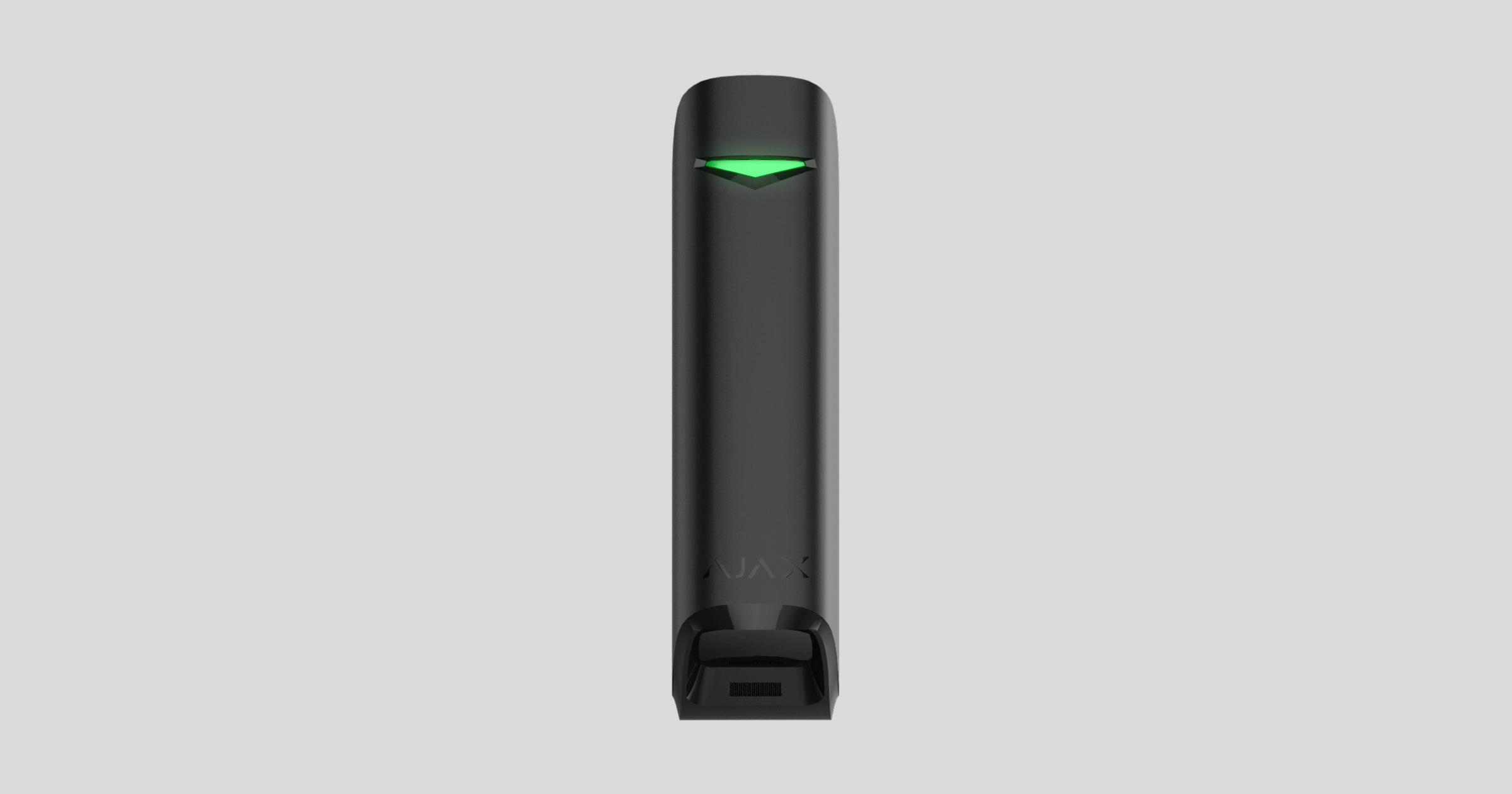
MotionProtect Curtain is a sensor equipped with two infrared sensors. It can detect motion at a distance of up to 11 meters while remaining vandal-proof and immune to pet movement. The device connects to the Ajax security system via Jeweller security radio waves, with a connection range of up to 1,700 meters in an unobstructed environment. The sensor is equipped with a battery that provides up to 3 years of continuous operation, eliminating the need for frequent battery replacements. Furthermore, the motion sensor can be mounted outdoors without fear of weather damage.
MotionProtect operates within the Ajax security system by connecting to the central hub via Jewellery signals.
⚠️ The sensor only works with the Hub. Connection to ocBridge and uartBridge is not provided.
The sensor is configured via a mobile app running on iOS and Android operating systems. Users will receive notifications via on-screen alerts, SMS messages, and phone calls (if enabled).
The Ajax security system can operate completely independently, or users can connect the system to the main monitoring center of security service providers.
Functions of the machine's components

-
Traffic lights
-
Touchscreen light filter
-
Anti-obscuration reading eye
-
Screw holes for SmartBracket
-
QR Code
-
On/Off button
-
Anti-tampering switch
-
SmartBracket mounting bracket (The cut-out section is intentionally designed to prevent the device from being removed from its installation location)
Operating mechanism
When the system is activated, the sensor continuously monitors signals from both infrared sensors. When motion is detected, the sensor immediately sends an alarm to the Hub and notifies by flashing a green LED. MotionProtect Curtain only sends an alarm signal to the Hub when motion is detected from both infrared sensors simultaneously.
When the pet immunity feature is not activated, MotionProtect Curtain can detect motion at a distance of up to 11m and will immediately trigger an alarm even if only one infrared sensor detects the signal.
Motion detection alerts will be transmitted every 5 seconds.
MotionProtect Curtain's infrared sensor, combined with its body temperature detection feature, helps detect intrusion by determining whether the temperature of a moving object is close to human body temperature. This allows the sensor to exclude pets; simply adjust the sensor's sensitivity and enable pet immunity in the app settings.
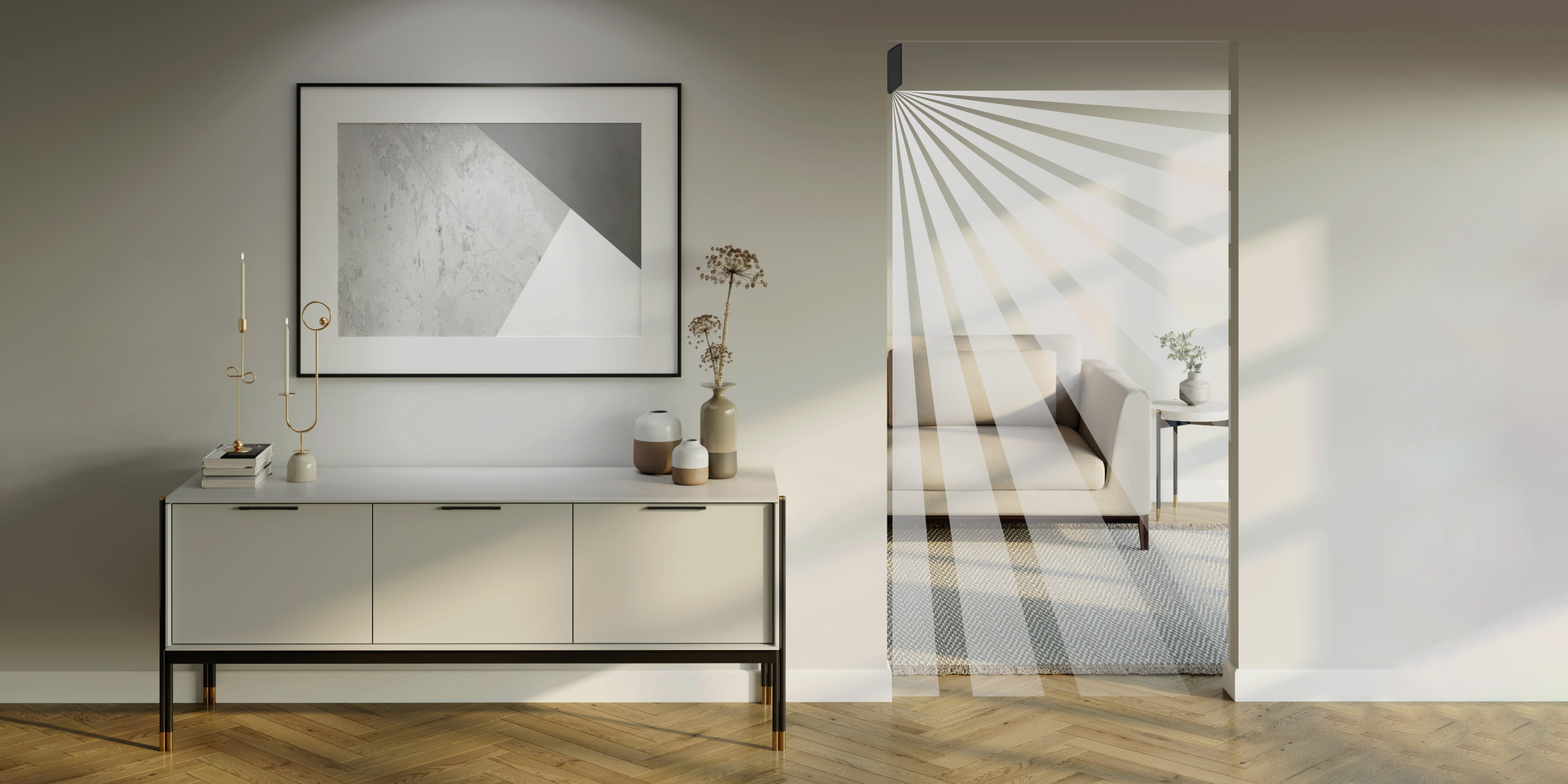
The sensor can ignore pet movement at a distance of:
|
Animals |
Distance from sensor |
|
Small birds (sparrows) |
1 meter from the sensor |
|
Large birds (Crows) |
1.5 meters from the sensor |
|
Dogs and cats |
2 meters from the sensor |
⚠️ When pet immunity mode is activated, the sensor's scanning range will be reduced depending on the sensitivity level setting:
|
Sensitivity level |
The interval when the immunity mode is activated |
The interval when the immune system is not activated |
|
Short |
3 m |
9 m |
|
Medium |
5 m |
10 m |
|
High |
6 m |
11 m |
When motion is detected, the sensor, set to activation mode, will immediately transmit an alarm signal to the Hub, triggering the alarm sirens and notifying the user/security service companies.
If the sensor detects motion before being put into activation mode, it will not immediately trigger an alarm but will wait until the next operating cycle of the Hub.
Anti-shading system
Covering is the deliberate act of obstructing the view of a sensor in any way.
MotionProtect Curtain can detect various types of coverings:
-
There is an obstruction in front of the light filter.
-
Paint or transparent adhesives on the light filter screen.
-
Try spraying or brushing paint onto the front of the MotionProtect Curtain.
If one or more forms of cover-up are detected, the sensor will emit a cover-up alarm signal and the green LED on the device will light up for 1 second.
The sensor can detect cover in both passive and active modes.
Connect the device to the Hub.
Before starting the connection:
-
Follow the Hub's installation instructions, install the Ajax app on your phone. Create an account, add the Hub through the app, and create at least one room.
-
Launch the Ajax application.
-
Turn on the Hub and check your internet connection (via Ethernet cable or GSM network).
-
Ensure that the Hub is in activated mode and will not update automatically by checking the Hub's status through the app.
⚠️ Only users with administrator privileges can add devices to the system.
Connect the sensor to the Hub:
-
Select “Add device” in the Ajax application.
-
Name the device, scan the QR code, or manually enter the passcode (found on the device or packaging), and select the room where you want to install it.

-
Select “Add” - the countdown will begin.
-
Turn on the device by pressing and holding the power button for 3 seconds.

For optimal functionality, the device must be installed within the Hub's coverage area.
A request to connect to the Hub will be sent shortly after you turn the device on.
MotionProtect Curtain will automatically turn off after 6 seconds if it fails to connect to the Hub. When this happens, try connecting again; you don't need to turn off the device.
If the device is already connected to a different Hub, turn off MotionProtect Curtain and proceed with the connection as you would with other devices.
The MotionProtect Curtain device connected to the Hub will appear in the Hub's list of devices in the app. Sensor status updates will be provided at a customizable cycle time, with the default being every 36 seconds.
The states
Devices -> MotionProtect Curtain
|
Parameter |
Meaning |
|
Temperature |
Temperature of the sensor. Measured on the microprocessor and continuously monitored. |
|
Wave intensity |
Signal strength level between the device and the Hub |
|
Battery capacity |
The device's battery capacity is displayed when the battery level drops below 25%. |
|
Back cover |
The tamper-proof mode, based on touch sensors, will react to any attempts to move or vandalize the device. |
|
Entry delay, measured in seconds. |
Entry delay |
|
Delay during exit, measured in seconds. |
Exit lag |
|
Connect |
Connection status between the device and the Hub |
|
Sensitivity |
Motion sensor sensitivity: Low, Medium, High |
|
Immunity to pets |
When activated, the sensor will ignore pets weighing up to 15kg and measuring 40cm in height, when the device is installed at a height of 2.4m. |
|
Anti-coverage |
When activated, the sensor will detect hidden hazards. |
|
Always On mode |
When activated, the sensor will constantly scan for motion signals. |
|
Software |
The device's software version |
|
Device ID |
A unique identification number for each device. |
Settings
Devices → MotionProtect Curtain → Settings(⚙️)
|
Settings |
Meaning |
|
first line |
Name the device. |
|
Room |
Choose a room where you will install the device. |
|
Sensitivity |
Choose the sensitivity for the motion sensor:
|
|
Anti-coverage |
When activated, the sensor will detect hidden hazards. |
|
Immunity to pets |
When activated, the sensor will ignore pets weighing up to 15kg and taller than 40cm when the device is installed at a height of 2.4m. In this case, the motion sensor's detection range will be reduced to 6m in High sensitivity mode, 5m in Medium sensitivity mode, and 3m in Low sensitivity mode. Please consider this carefully before installing the sensor. When pet immunity mode is not activated, MotionProtect Curtain can detect motion within a range of 11/10/9m (depending on the customized sensitivity) and will immediately alert if either of the two sensors is activated. |
|
Always active |
If activated, the sensor will continuously scan for motion signals. |
|
Entry delay, in seconds. |
Choose the entry delay time. |
|
Delay during exit, measured in seconds. |
Choose the delay time when exiting. |
|
Activated when in night mode. |
If enabled, the device will automatically switch to active mode when the user switches to night mode. |
|
Lag in daytime mode |
Delay when turning on in daytime mode. |
|
The alarm sounds when motion is detected. |
If activated, HomeSiren and StreetSiren will sound an alarm when an alert is received. |
|
Check signal strength |
Switch the device to signal strength test mode. |
|
Check the control zone. |
Switch the device to control zone inspection mode. |
|
Check for decline |
Switch your device to signal attenuation test mode (Only available on devices with software version 3.5 or higher). |
|
User manual |
User manual |
|
Disconnect the device. |
Disconnect the device from the Hub and the Ajax security system. |
Types of signals
The MotionProtect Curtain device's lights can illuminate in blue or red to indicate the device's status.
Types of notifications when the "On" button is pressed
|
Case |
Output signal |
|
Press the power button (Device is in the On state). |
The light will turn red while the power button is still being held down. |
|
Turn on the device |
The light turns green when the device is switched on. |
|
Turn off the device |
The light turned red and then flashed three times. |
Notifications when the device has been turned on.
|
Case |
Warning signal |
Note |
|
The sensor is connected to the Hub. |
The green light will illuminate for a few seconds. |
|
|
Hardware failure |
Flashing red continuously |
The equipment needs repair; please contact the technical department. |
|
Detects movement, vandalism, or occlusion. |
The light turns red for about 1 second. |
|
|
The battery needs replacing. |
During the alarm, the light will slowly turn green and then slowly turn off. |
Replacing the battery for the device is clearly described in the battery replacement instructions. |
Check the features
The Ajax security system allows for functional checks of connected devices to ensure their operational status.
The test will not begin immediately but will start within 36 seconds when the device is set to default mode. The start time of the test is based on the scan cycle setting on the device. (Located in the “Jeweller” customization section in the Hub settings).
-
Check the wave intensity.
-
Check the touch area.
-
Check for signal attenuation
Sensor installation locations
|
⚠️ Do not install the black MotionProtect Curtain where it will be exposed to direct sunlight. This could damage the device. |
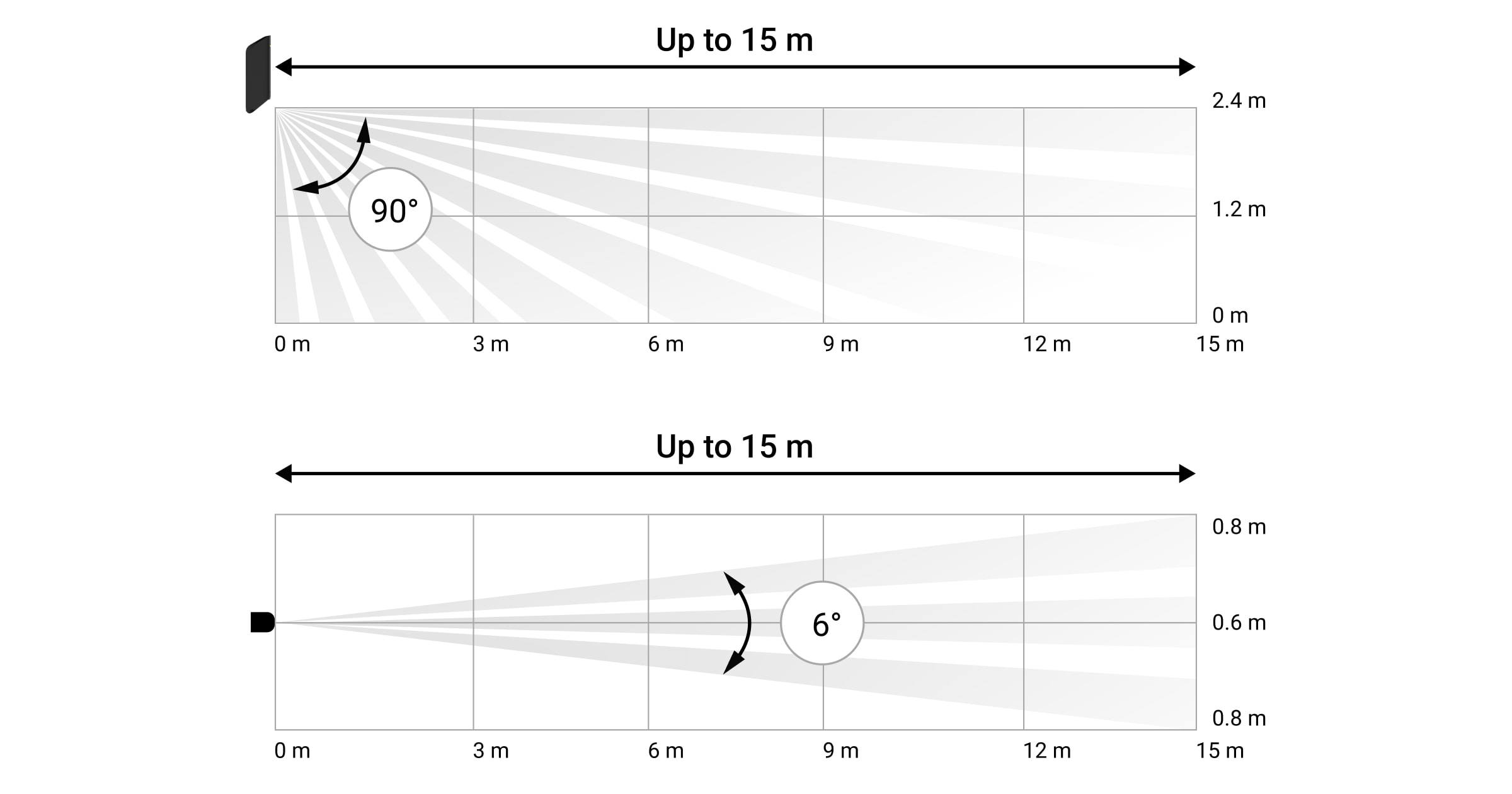
MotionProtect Curtain is recommended for applications requiring protection of windows, doors, fences, and entrances.
Places where you should not install a device with the pet immunity mode not activated:
-
Outdoor.
-
Close to heating and ventilation systems.
-
These are places where the sensors are directly exposed to sunlight.
-
Pets are allowed in this area.
-
And other areas have numerous problems that cause false alarms.
The protection range and effectiveness will depend on the sensor's installation location. When choosing a location for the MotionProtect Curtain, consider factors affecting the device's light filter and any obstructions that may reduce its scanning range or block the signal transmission.
⚠️ Please note the touch sensor's operating range.
If possible, avoid locations where the sensor can detect movement at distances greater than the area to be protected. Choosing the wrong installation location can lead to false alarms and sensor malfunction.
The position of MotionProtect Curtain can be determined by the distance between the device and the Hub, and the presence of obstacles in between: walls, ceilings, large objects in the room.
Check the signal strength through the app. If the connection status only shows one bar, you cannot guarantee a stable connection for your security system.
Use every possible means to improve the signal strength. At the very least, try moving the device about 20 cm closer; that should be enough to significantly change the signal strength.
If the device still has a weak signal after moving it, use a ReX range extender.
For best results, point the device's sensor towards the area most likely to be intruded upon.
Ensure that there are no pieces of furniture, plants, vases, decorations, or glass obstructions that block the view of the touch screen device.
If the sensor is not installed at the recommended height, it will affect and reduce the scanning range, and lose its immunity to pets.
Do not install sensors:
-
In front of a moving object with a temperature close to that of the human body (Curtains being blown by the wind above the fireplace).
-
Near areas where hot air flows through (ventilation vents, chimneys, electric convection heaters with automatic 'on' or automatic rotation functions).
-
In front of ponds, swimming pools, fish tanks, or other surfaces with high light-reflecting properties.
-
Right in front of trees or bushes.
-
Place metal or glass objects nearby (these can interfere with the link signal).
When installed outdoors, the sensor must be installed with the light filter facing downwards.
Install the sensor device.
Before installing the device, make sure you have selected an optimal location as instructed in the user manual.
Install the sensors in the most inconspicuous location possible. This can help prevent them from being vandalized.
If the sensor's light filter is facing upwards (to ignore the movement of large pets), it's best to turn off pet immunity mode.
There are two ways to install MotionProtect Curtain : directly onto the surface or using a hanging panel.
-
Using the included screws or other similar screws, attach the SmartBracket board to the surface. The SmartBracket board is securely fastened with screws.
-
Place the touch sensor on the connection board and connect it to the SmartBracket.
-
If the masking feature is not enabled, please wait for the calculation to complete.
-
Secure the device onto the SmartBracket using screws.
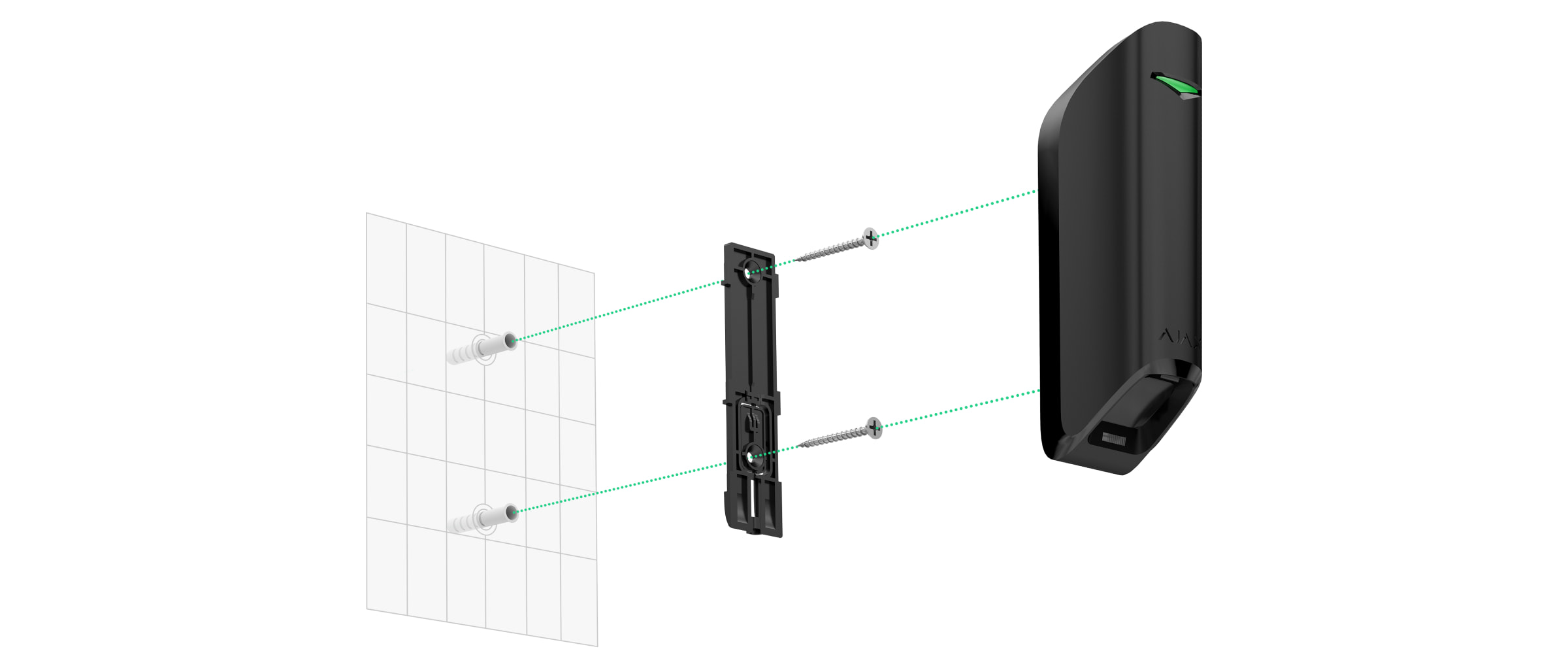
The anti-obscurity sensor will automatically begin the calculation process when MotionProtect Curtain is attached to the mounting panel. For accurate calculation results, ensure that there is no movement within 30cm of the sensor until the indicator LED stops flashing.
You should only use double-sided tape to temporarily secure the device. The tape will dry out over time, and dropping it could damage the device or create unnecessary false alarms.
If the sensor's indicator light remains off after installation on the SmartBracket, check the status of the anti-tampering mechanism in the Ajax application and try securing the mounting board more firmly.
⚠️ A scan range test is required after device installation. Change the device's installation location if operational errors occur.
If the device is removed from its mounting surface or taken off the SmartBraket board, you will receive an alert.
Equipment maintenance and battery replacement.
Regularly check the functionality of the MotionProtect Curtain .
Clean the machine body to remove dust, thermal condensation, and other dirt. Using a soft, dry paper towel is most suitable for equipment maintenance.
Do not use cleaning agents containing alcohol, acetone, gasoline, or other chemicals. Clean the sensor gently and carefully; any scratches on the surface can reduce the sensor's performance.
The built-in battery ensures up to 3 years of operation in automatic mode (with a Hub check frequency of 3 minutes). If the sensor runs out of battery, or if a vandalism attempt occurs, the app will notify you and the indicator LED will flash slowly.
How to replace the battery
Contact technical support to have your battery replaced.
Technical features
|
Sensor eye |
2 infrared sensors |
|
Sensor scanning angle (D/H) |
6°/90° |
|
Motion detection range |
Up to 11/10/9 m (when pet immunity mode is enabled —> from 6/5/3 m) depending on the sensitivity setting. |
|
Immunity to pets |
Yes, it can detect pets up to 15 kg and 40 cm tall (when the sensor is installed at a height of 2.4 m). |
|
Anti-coverage |
Have |
|
Anti-sabotage mechanism |
Yes, to detect when the device casing has been tampered with or damaged. |
|
Operating frequency |
868.0 – 868.6 MHz |
|
RF signal strength |
Up to 20 mW |
|
Radio wave type |
GFSK |
|
Wave range |
Up to 1700 m (in an unobstructed environment) |
|
Source |
1 CR123A battery, 3V |
|
Battery capacity |
Up to 3 years |
|
Temperature tolerance |
From -25°C to +60°C |
|
Level of protection |
IP54 |
|
Size |
134 x 44 x 36 mm |
|
Weight |
118 g |
A set of products includes
-
1 MotionProtect Curtain
-
1 CR123A battery (pre-installed in the device)
-
An installation package
-
Bundled Bracket
-
User manual
Guarantee
The product comes with a 2-year manufacturer's warranty.
If the device is not working as designed, please contact our technical support department before sending it in for warranty service – as over 50% of cases are simply issues with settings.